YouTube Channel Banner Downloader
Download YouTube channel banners with our free YouTube Channel Banner Downloader. View and save public channel art in the best available quality.





What Is a YouTube Channel Banner Downloader?
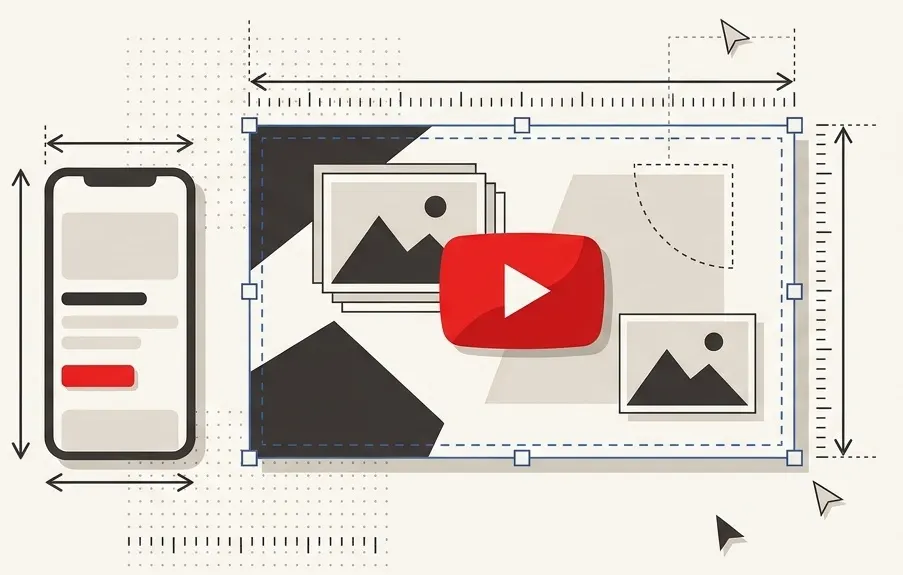
A YouTube channel banner is the wide image displayed across the top of a channel's page. It usually shows the channel's name, theme, upload schedule or branding. You may also see it called channel art or a channel cover image. It is separate from the small round profile picture and from the preview images of individual videos.
A YouTube channel banner downloader is a tool that helps you view and save that image for a public channel. Instead of trying to capture the banner from the channel page yourself, you can use this YouTube banner downloader to retrieve it from the channel details you enter.
The tool works with publicly available banner images. It does not access private images or hidden channel data.
Why Download a YouTube Channel Banner?
There are many legitimate reasons to save a channel's banner. For example, you may want to:
- Research a channel's branding: See how a public channel presents itself at first glance.
- Find design inspiration: Review banner layouts, colors and typography used by other creators.
- Study visual branding in a niche: Compare banners across several channels in the same field.
- Keep a personal reference: Save an image so you can look at it later, for example in a mood board or notes file.
- Compare branding elements: Look at a creator's banner next to their profile picture to see how their branding fits together.
A channel's banner belongs to its creator. Before you reuse an image anywhere public, make sure you have the creator's permission or another legal right to use it.
How to Download a YouTube Channel Banner
- Open the YouTube Channel Banner Downloader on this page.
- Find the channel. Open the channel on YouTube whose banner you want to save.
- Copy the channel details. Copy the channel link or another identifier the tool accepts.
- Enter the details into the input field, in the form the tool asks for.
- Start the lookup. Submit your entry and wait for the result to appear.
- Review the banner. Check that the image belongs to the channel you meant.
- Choose a size if offered. If the tool gives you image quality or resolution options, pick the one that suits your purpose.
- Save the image to your device, using the option the tool provides.
If nothing appears, check that the channel is public and that you entered it correctly. Some channels do not have a banner at all, in which case there is nothing to show. If you only have a channel name or link, the YouTube Channel ID Lookup Tool can help you find the channel's unique ID.
Key Features of the YouTube Channel Banner Downloader
- Retrieves public channel banners: It looks up the publicly available banner image of a YouTube channel.
- Lets you save channel art: Once the image appears, you can save it for your own reference.
- Offers convenient access: You do not need to dig through the channel page to capture the image.
The image you get depends on what the channel has uploaded and what YouTube makes available publicly. A low-quality original will not become sharper just because it was downloaded. Look at the result on this page to see what sizes or options the tool actually provides.
Who Can Benefit From This Tool?
- YouTube creators who want to review or keep a copy of their own channel art.
- Graphic designers looking at banners for inspiration or reference.
- Digital marketers researching how channels present their brands.
- Branding professionals comparing the visual identity of channels in a niche.
- Content researchers collecting channel details for a project.
- Fans who want to save a public channel banner for reference.
YouTube Channel Banner vs. Logo vs. Video Thumbnail
These three images are often confused, but they appear in different places and serve different roles:
- Channel banner: The wide image displayed at the top of a channel page. This is what this tool is for.
- Channel logo (profile picture): The small image that represents the channel. To work with it, use the YouTube Channel Logo Downloader.
- Video thumbnail: The preview image of a single video. For thumbnails, use the YouTube Thumbnail Downloader.
This tool is designed for channel banners only, not profile pictures or thumbnails.
Tips for Getting the Best Results
- Use the right channel details. Enter the channel link or other supported identifier exactly as the tool asks.
- Check that it is the right channel. Look at the banner before saving, especially when several channels have similar names.
- Pick the best available size. If the tool offers more than one option, choose the larger one when you need more detail.
- Remember that layouts vary. YouTube displays banners differently on desktop, mobile and TV, so some parts of the image may be cropped depending on the screen.
- Respect the creator's rights. Treat a saved banner as reference material unless you have permission to use it.
- Keep the source. When you save images for research, note the channel name and the date, so you can credit and revisit them later.
Explore More Channel Research Tools
If you are researching a channel's branding, these related tools can help you look at it from other angles:
- Review a channel's public numbers with YouTube Channel Statistics.
- Find other channels in the same niche with YouTube Channel Search.
Frequently Asked Questions
How can I download a YouTube channel banner?
Enter the channel details into the input field on this page, in the form the tool asks for, and start the lookup. When the banner appears, save it using the option the tool provides.
Can I download a YouTube banner in HD?
That depends on the image the channel has uploaded and what the tool offers. Not every channel has a high-resolution banner, so HD quality cannot be promised. Check the result on this page for the sizes available.
Is the YouTube Channel Banner Downloader free?
See the tool page for current details on pricing and access. This article does not make claims about cost beyond what the page itself states.
Do I need to log in to download a banner?
Check the tool page for any sign-in requirement. You should never need to share your YouTube password to look up a public channel's banner.
Can I download another channel's banner?
You can look up the public banners of channels. Private images and hidden channel data are not accessible with this tool, and channels without a banner will have nothing to show.
What is the difference between YouTube channel art and a banner?
They usually mean the same thing. "Channel art," "banner" and "cover image" are different names for the wide image at the top of a channel page.
Can I download a channel logo with this tool?
No. This tool is for banners. For profile pictures, use the YouTube Channel Logo Downloader.
Can I reuse a downloaded YouTube banner?
Not automatically. A channel banner belongs to its creator, and being able to save it does not give you the right to reuse it. Get permission from the owner before using it in your own content, products or campaigns.
Find a Channel's Banner
Enter a channel above to view its public banner image, and use it responsibly for research, reference and design inspiration.

Ahassan
CEO / Co-Founder
Hello, I'm A Hassan, the owner of YTLargeTools. I created YTLargeTools with a simple goal: to make useful online tools accessible to everyone. I believe everyday tasks should be simple, convenient and easy to complete without unnecessary complications.
Recent Posts